A habit tracker tuned to one song

Start a habit
with one song.
Grow it at your pace.

Day one is one song long — three minutes, give or take. That's all the habit has to be. After every session you rate it — too easy, just right, too much — and the playlist grows or shrinks to match. Until your habit is the playlist you actually look forward to.

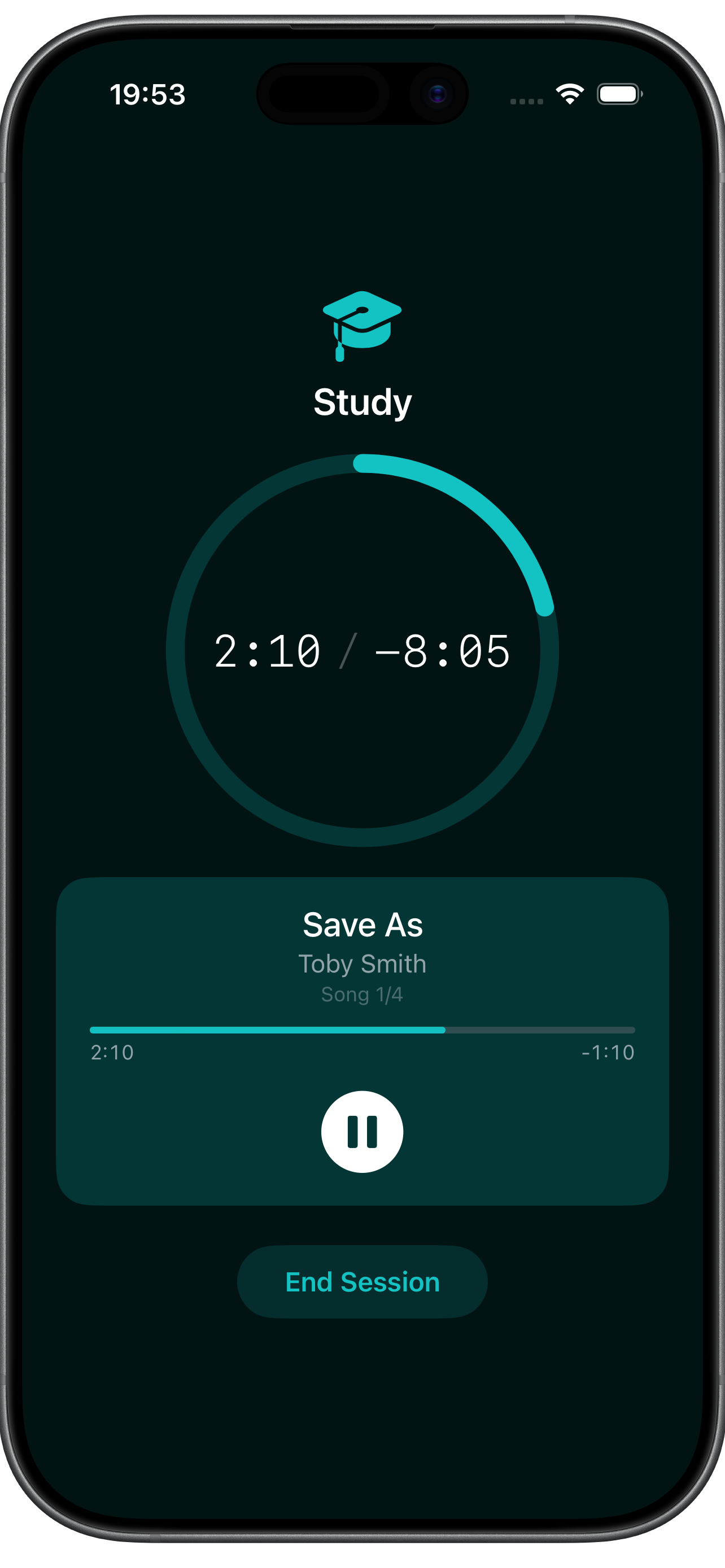
One Song Habits active session — circular progress ring counting down a four-track playlist
How it works

One song. One tap. One rating.

The hardest part of a habit is showing up. We made the bar so low that "showing up" is just pressing play.

01 — PICK

Choose one song that fits the habit.

Stretching, journaling, push-ups, breathwork — pick a track that matches the energy. Pull it from the bundled library, your Apple Music account, or files already on your phone.

Save AsToby Lane · 1:55
Long Agomoodmode · 2:36
PhantomLemon Music · 3:48
02 — DO

Press play. Do the thing until the song ends.

The song ends, the session ends. You showed up.

03 — RATE

Tell the app how it felt.

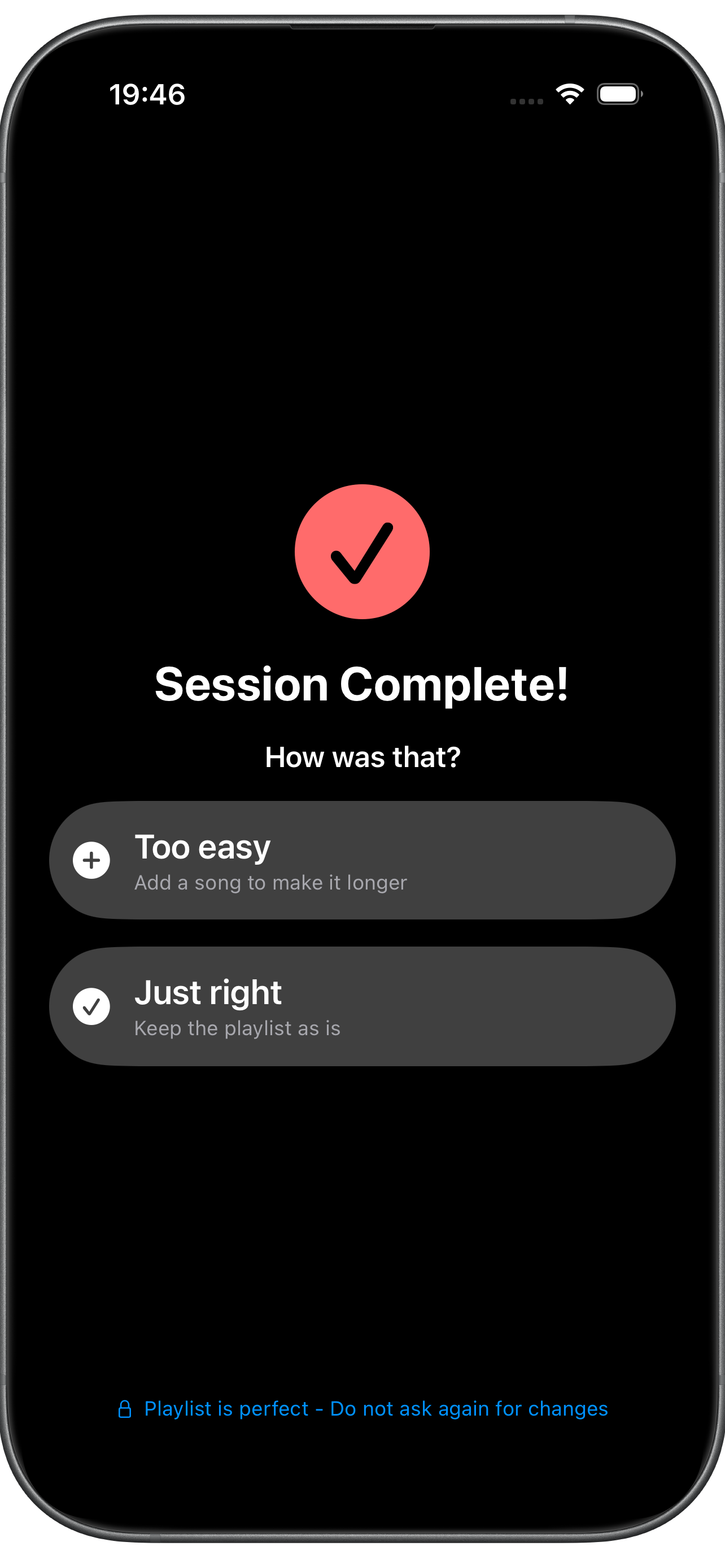
Three buttons after every session. Too easy opens the song picker so you can add one. Just right keeps the playlist. Too much lets you pick a song to remove. The habit calibrates to you.

Too easy +1 Just right keep Too much −1
04 — KEEP GOING

Want more? Shuffle a playlist and stay in it.

When the earned tracks finish, tap keep going to shuffle from a playlist of your choice. It loops as long as you want.

Session done. Keep going?
Done for Now Keep Going
Shuffles your chosen playlist
Morning stretch Journaling Breathwork Push-ups Reading Meditation Language flashcards
Bring your own music — or don't

Three ways to score your habit.

Open the app and pick a track from any of these sources. Mix and match across sessions.

Source 02 · Streaming

Apple Music — your whole library.

Sign in and pull any song from the entire catalog.

SunflowerPost Malone, Swae Lee 2:38
WeightlessMarconi Union 8:09
Apple Music subscription required 100M+
Source 03 · On-device

Local files from your phone.

Point the app at audio files already on your iPhone. Fully offline.

M4A focus_loop_01.m4aOn My iPhone · Music 4:02
MP3 nina_simone_feeling_good.mp3iCloud Drive · Vinyl rips 2:56
WAV my_demo_track_v3.wavOn My iPhone · Voice Memos 3:18
No subscription · Offline Yours
Keep going mode

Finished the playlist? Keep going.

When your session ends, the app asks one question: done, or keep going? Tap keep going and it shuffles tracks from a playlist of your choice — bundled categories, your Apple Music library, or your local files. The playlist loops indefinitely. The habit ends when you say so.

Optional · per-session
01 App asks: keep going or done? One tap either way
02 Shuffle from your chosen playlist. Bundled categories, Apple Music, or local files
03 End the session whenever you want. Loops indefinitely — finish on your own terms
Built for showing up

Small details that keep the streak alive.

Live Activity & Dynamic Island

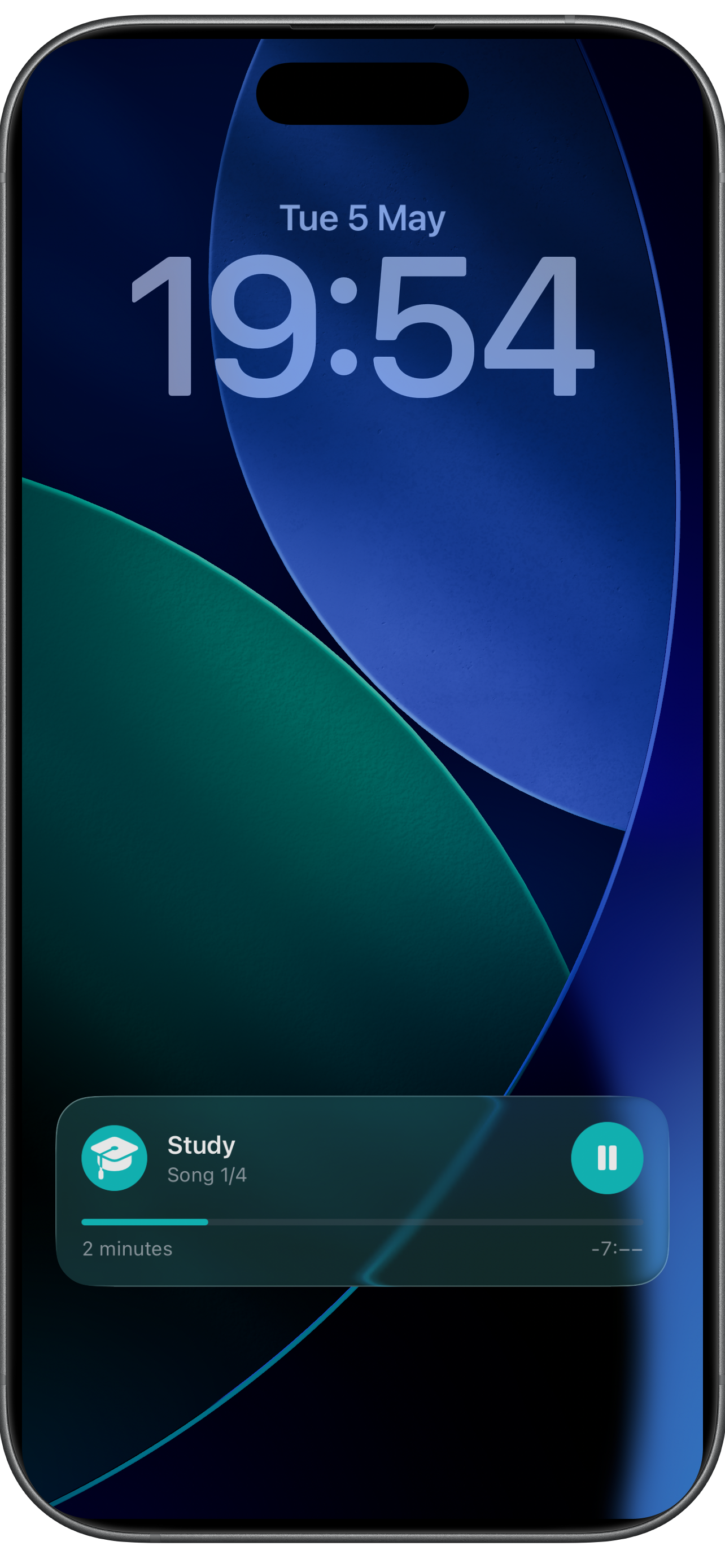
Your session lives on the lock screen and in the Dynamic Island. See the current track, the elapsed time, and pause without ever opening the app.

Per-habit reminders

Set a time per habit and the app schedules a local notification on the days you've picked. No server, no account.

Weekly schedule

Pick the days each habit runs — Mon/Wed/Fri stretching, daily journaling, Sunday-only meal prep. The streak knows the difference between a missed day and a rest day.

Stats that actually help

Current streak, longest streak, total sessions, total time, and a last-7-days minute chart — per habit, all on one screen.

Inside the app

A tour through One Song Habits.

The whole app, screen by screen — from picking your first song to seeing your streak climb.

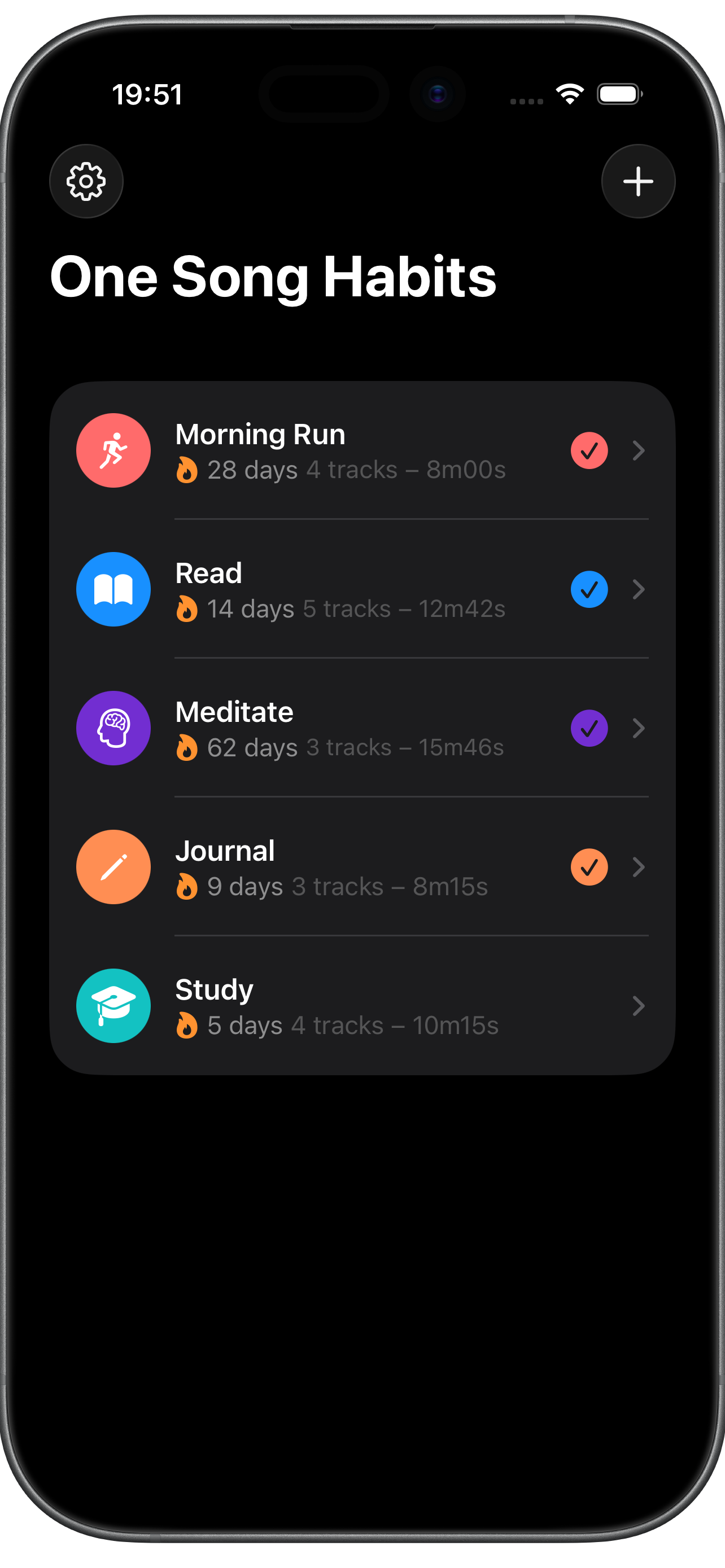
Home screen with five habits and their streaks
01 Your habits, all on one screen. Streak, track count, and total minutes — at a glance.
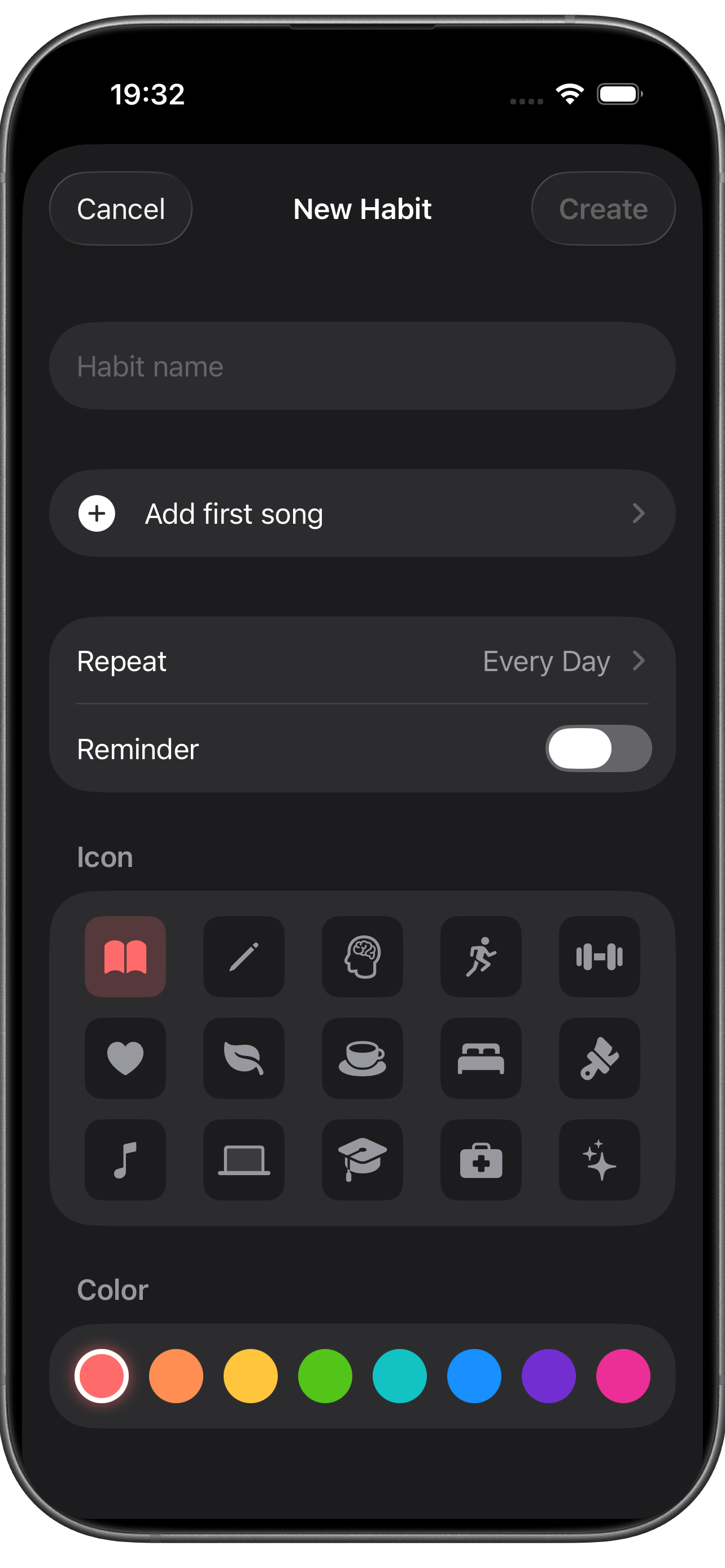
Creating a new habit — name, schedule, icon and color
02 Spin up a habit in seconds. Name, icon, color, schedule, and the first song. Done.
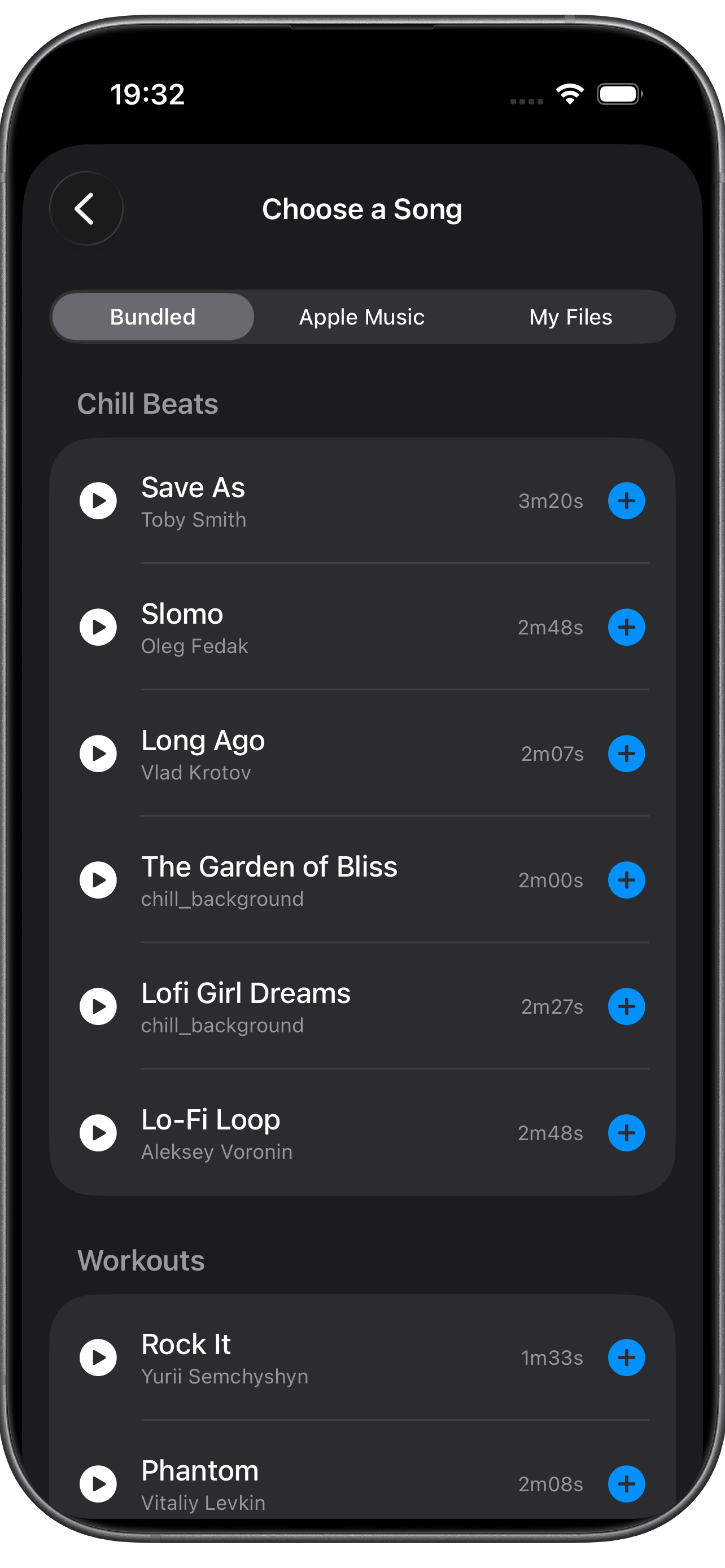
Choosing a song — bundled, Apple Music, or local files tabs
03 Three sources, one picker. Bundled tracks, Apple Music, or files already on your phone.
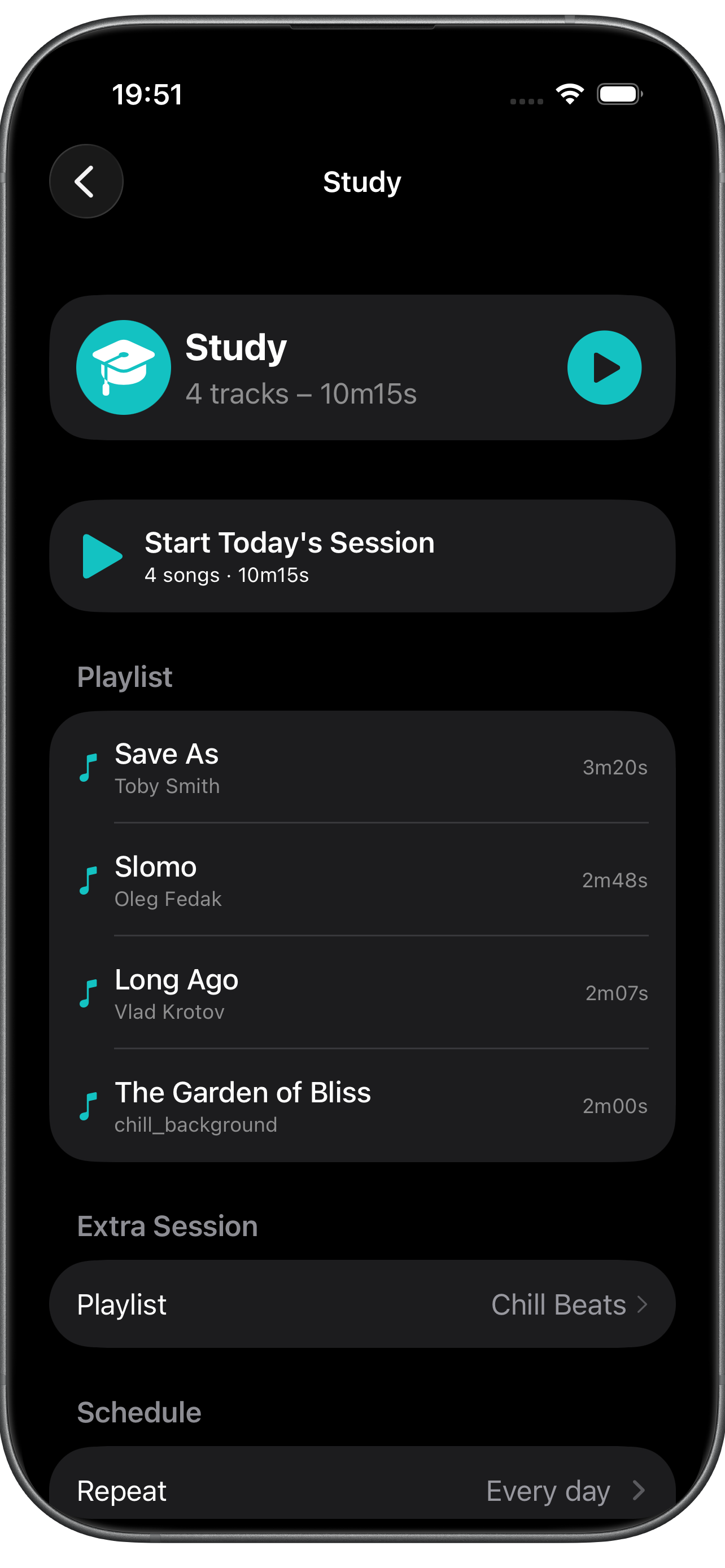
Habit detail — playlist, schedule, and extra session
04 One habit, fully tuned. Track list, schedule, and the playlist for keep-going time.
Active session — circular progress ring around the elapsed time
05 One ring, one song, one tap. The session ends exactly when the playlist does.
Lock screen Live Activity showing the current track and elapsed time
06 Lives on your lock screen. Live Activity and Dynamic Island for hands-free pause.
Session complete — rate the session as too easy or just right
07 Rate it. The playlist adapts. Too easy adds a song. Just right keeps it. Too much trims one.
Available on iPhone

Your next habit is one song away.

Free to install with up to two habits; unlimited habits via a one-time $4.99 Pro purchase. Requires iOS 17.6 or later.

Free $0
Everything you need to start a habit today.
  • Up to 2 habits
  • 14 bundled tracks across 3 moods
  • Apple Music & local files
  • Lock-screen Live Activity & Dynamic Island
  • Per-habit reminders & weekly schedule
  • Streak, total time & 7-day stats
Pro · one-time $4.99 once
For more than two habits.
  • Unlimited habits
  • One-time purchase
  • Supports an independent developer